
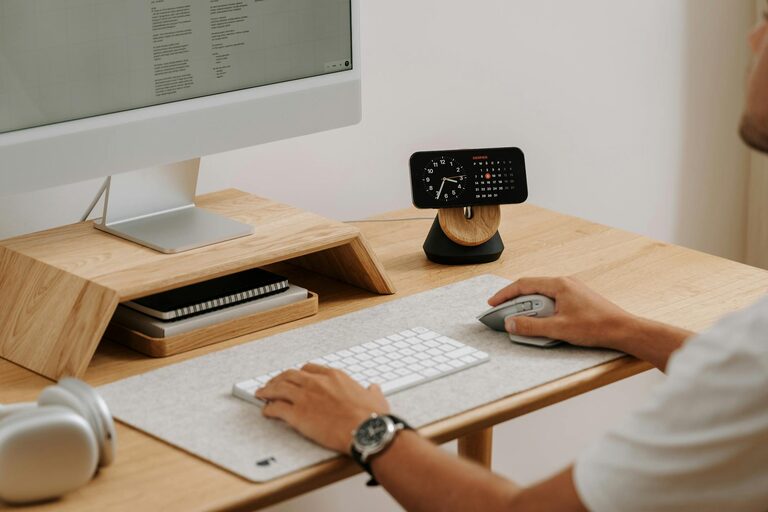
Creating a cozy and productive home workspace is essential in today’s world, where many people spend a significant amount of time working from home. The right setup not only helps you stay focused but also encourages creativity and well-being. Whether you have a dedicated room or just a small corner, you can transform your space into an inviting work area that suits your needs.
In this post, we’ll explore practical tips and ideas to help you design a home workspace that strikes the perfect balance between comfort and efficiency.
Choose the Right Location
Consider Natural Light
Select a spot with plenty of natural light if possible. Sunlight helps reduce eye strain and improves your mood and alertness. Setting your desk near a window can create a bright and airy feel. If natural light is limited, choose warm, soft LED lighting that mimics daylight.
Minimize Distractions
Pick a quiet area away from noise and household traffic. This helps you keep focus during working hours. Inform family members or roommates about your work schedule to respect your concentration time.
Invest in Comfortable Furniture
Ergonomic Chair and Desk
Your chair and desk should support good posture to avoid discomfort and fatigue. Look for an ergonomic chair that supports your lower back and allows your feet to rest flat on the floor. The desk height should allow your elbows to stay at a 90-degree angle when typing.
Personalized Touches
Add cushions, a soft throw, or a small rug to make the space feel more inviting. Comfort helps reduce stress and makes it easier to settle into work.
Organize and Declutter
Smart Storage Solutions
Use shelves, drawers, or storage boxes to keep supplies and documents organized. Decluttering your workspace improves concentration and makes it easier to find what you need quickly.
Cable Management
Tidy up cables and chargers with clips or tubing. A neat workspace enhances focus and reduces frustration.
Incorporate Greenery and Personal Items
Plants for Freshness
Adding a few potted plants can improve air quality and bring life to your workspace. Plants also have a calming effect and can reduce stress.
Personal Motivation
Display photos, artwork, or inspiring quotes that keep you motivated. Personal touches make the workspace feel uniquely yours.
Optimize Technology and Tools
Reliable Equipment
Ensure your computer, printer, and other devices are in good working order. Using reliable tools prevents technical interruptions that can reduce productivity.
Proper Accessories
Consider essentials like a quality keyboard, mouse, or headset to enhance comfort during long work sessions.
Establish a Routine and Boundaries
Set Working Hours
Define clear start and end times for your workday. This helps separate work life from home life and maintains a healthy balance.
Break Areas
Have a designated spot for breaks, separate from your workspace. Taking short breaks away from your desk refreshes your mind and body.
Add Elements to Boost Focus
Minimalist Decor
Keep decorations simple and calming. Too many visual distractions can make it harder to focus.
Sound Control
Use noise-canceling headphones or play soft background music to block out distractions. Some people find white noise or instrumental music helps concentration.
Final Thoughts
Designing a cozy and productive home workspace takes a bit of planning and personalization. Focus on comfort, organization, and a distraction-free environment. By building a space that supports your work style and well-being, you’ll find it easier to stay motivated and productive throughout the day. Remember, your home workspace should reflect your unique needs and preferences, so don’t hesitate to experiment until it feels just right.