
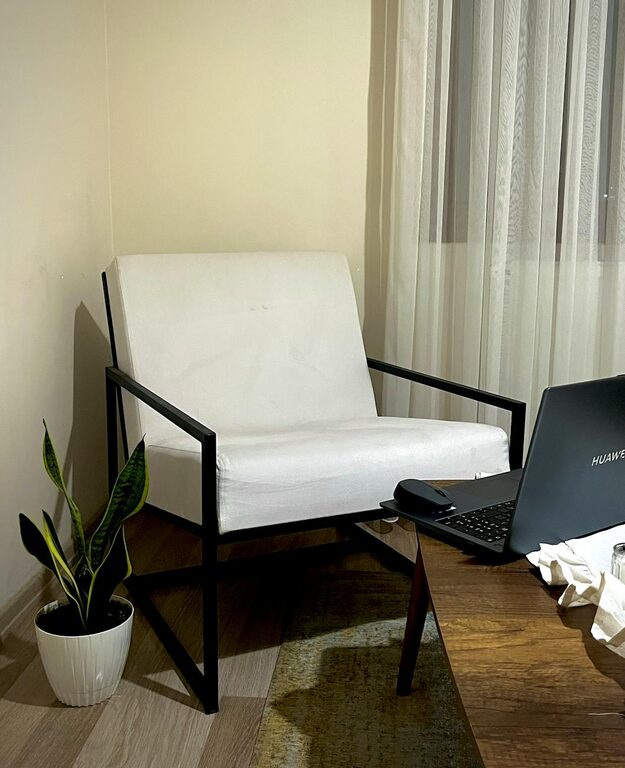
Creating a cozy and productive home office is essential for anyone working or studying from home. A well-designed space can help you stay focused, feel comfortable, and ultimately get more done. Whether you have a dedicated room or just a corner in your living area, these tips will guide you in setting up an ideal workspace that works for you.
Choose the Right Location
Find a Quiet Spot
Select a space in your home that is quiet and has minimal distractions. Avoid areas with heavy foot traffic or noisy appliances. A dedicated room is ideal, but a quiet corner can work just as well.
Consider Natural Light
Natural light boosts mood and productivity. Position your desk near a window to take advantage of daylight. If natural light is limited, invest in good quality lighting that mimics daylight.
Invest in Ergonomic Furniture
Get a Comfortable Chair
A supportive chair is vital for long hours of work. Choose one with adjustable height, lumbar support, and comfortable padding to avoid back pain.
Choose a Functional Desk
Your desk should be large enough to hold your laptop, monitor, and other essentials without feeling cramped. Adjustable desks that allow you to alternate between sitting and standing are becoming popular for health benefits.
Personalize Your Space
Add Soothing Colors
Colors impact your mood and productivity. Soft, neutral tones promote calmness while pops of brighter colors like blue or green can inspire creativity.
Use Plants and Decor
Incorporate some greenery with low-maintenance plants to improve air quality and add life to your workspace. Personal items like photos or artwork can make the space welcoming and motivating.
Organize for Efficiency
Declutter Regularly
Keep your desk and workspace tidy by storing supplies in drawers or organizers. Clutter can distract and slow you down.
Use Storage Solutions
Shelves, filing cabinets, and storage bins help keep paperwork and supplies organized and within reach, reducing time wasted searching for items.
Optimize Technology and Equipment
Invest in Good Equipment
Reliable technology helps avoid frustration. Use a quality monitor, keyboard, and mouse suited to your needs. Don’t forget a stable internet connection.
Manage Cables Neatly
Keep cords organized using cable clips, ties, or covers. This not only looks better but reduces hazards.
Create Boundaries and Routine
Set Work Hours
Define clear working hours to separate your professional and personal life. This helps maintain work-life balance.
Establish Boundaries
Communicate your work schedule to family or roommates to minimize interruptions. Use noise-cancelling headphones if needed.
Make Comfort a Priority
Control Temperature and Air Quality
Ensure the room is well-ventilated and kept at a comfortable temperature. A fan, heater, or air purifier can help.
Take Breaks and Move
Incorporate short breaks to stretch or walk around to reduce fatigue and improve focus.
Final Thoughts
Designing a cozy and productive home office can significantly impact your daily work experience. By choosing the right location, investing in ergonomic furniture, personalizing your space, and maintaining organization, you create an environment where productivity and comfort go hand in hand. Remember, the best workspace is one that suits your individual needs and helps you stay motivated throughout your workday.